

If you are in the market for an awesome aftermarket steering wheel you are no stranger to the installation anxiety of the whole process. We would love to share with you the demonstration of our removal and installation of the custom steering wheel for bmw g80 or f90. Carbon fiber steering wheel are very luxurious but given the advanced technology of the bmw complicate the installation process. Options like heating and drivers assist pro are often lost during the steering wheel update, but not so with Aza Auto Wheel.
Here is the picture demonstration of the donut your self style of the installation. This write up is made for simply demonstration purposes only: we are not liable for improper installation and damages done to your car, we always recommend professional installation with any of our products.
Truth be told, g80 steering wheel installation is quite complicated at first glance even tho our steering wheels are plug and play. There are a lot of wires to keep in mind and reinstall properly for functions to be retained.
Installation


Disconnect the battery
Remove the air bag using the small Allen key put in the back of the steering wheel (feel for the spring to load while pressing on the air bag and pulling it off one side at a time )
Remove the Steering Wheel Bolt, using the Torque meter wrench (note the torque required to loosen it, and torque it back to the spec )
Disconnect the wires from the slip ring, remove the steering wheel
Place the steering wheels side by side, OEM and the updated steering wheel to begin the transplanting of the parts
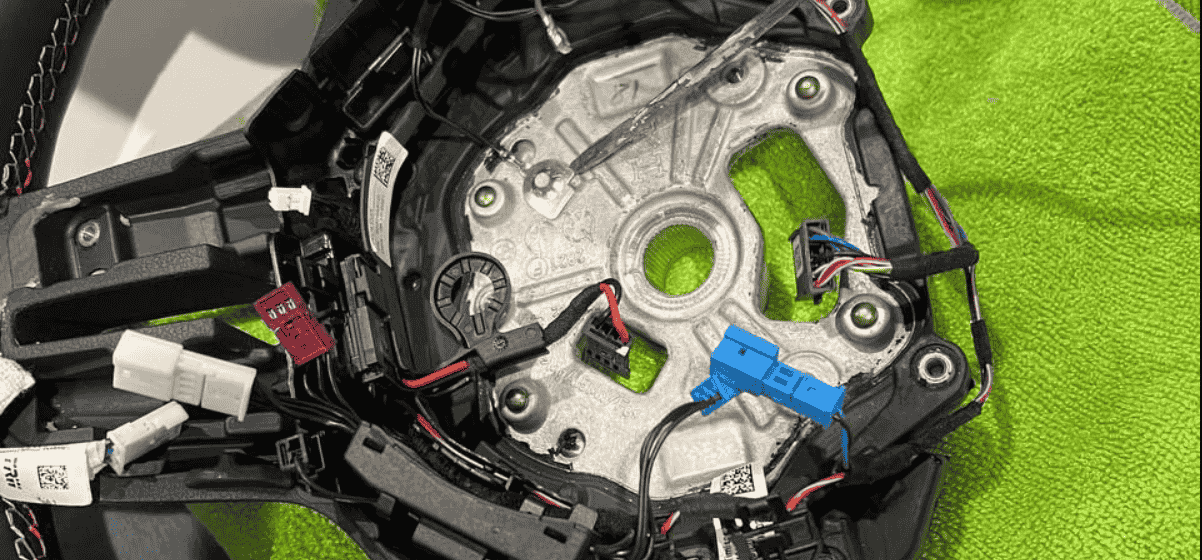
Take picture or a note how wires are laid out in the oem steering wheel. They would need to be laid out the same way in the aftermarket steering wheel to not be damaged
7. As you remove the front plate you will be able to see the wires and replace or install the paddle shifters.
8. Transplant the vibro motor into the new steering wheel along with the inner harness of the oem steering wheel. Securing the oem wiring in the proper channels
9. Carefully transfer the buttons from the oem front plate trim to the aftermarket carbon fiber trim
10. Install the air bag bracket. Make sure no wires are under the bracket to be pressed on as it would cause damage to the wiring. 11. Install the plate onto the new custom steering wheel and make sure there are no wires being pinched in the process. *PS. If your custom steering wheel came with the LED screen. In step 8 you would need to find a red wire (power wire) and black wire for ground to wire in the screen.
12. Make sure the buttons are plug into the harness, the air bag bracket can move freely, and there are no wires hanging out in the air bag area or in the channel were Alen key is inserted to remove the air bag.
13. Plug in heating and driver assist wires, to not have any codes thrown (plug and play)
14. Reinstall the steering wheel and tightened the bold
15. Plug in and connect the air bag. Push it slightly and heat it click in into the housing
16. Connect the battery. Everything should be working well as it did for us
Enjoy the before and after !
Cheers